Still running one team across four tools?
Slack for chat, Notion for notes, a task app, and Google underneath. Montar assembles them into one calm, Google-native workspace.
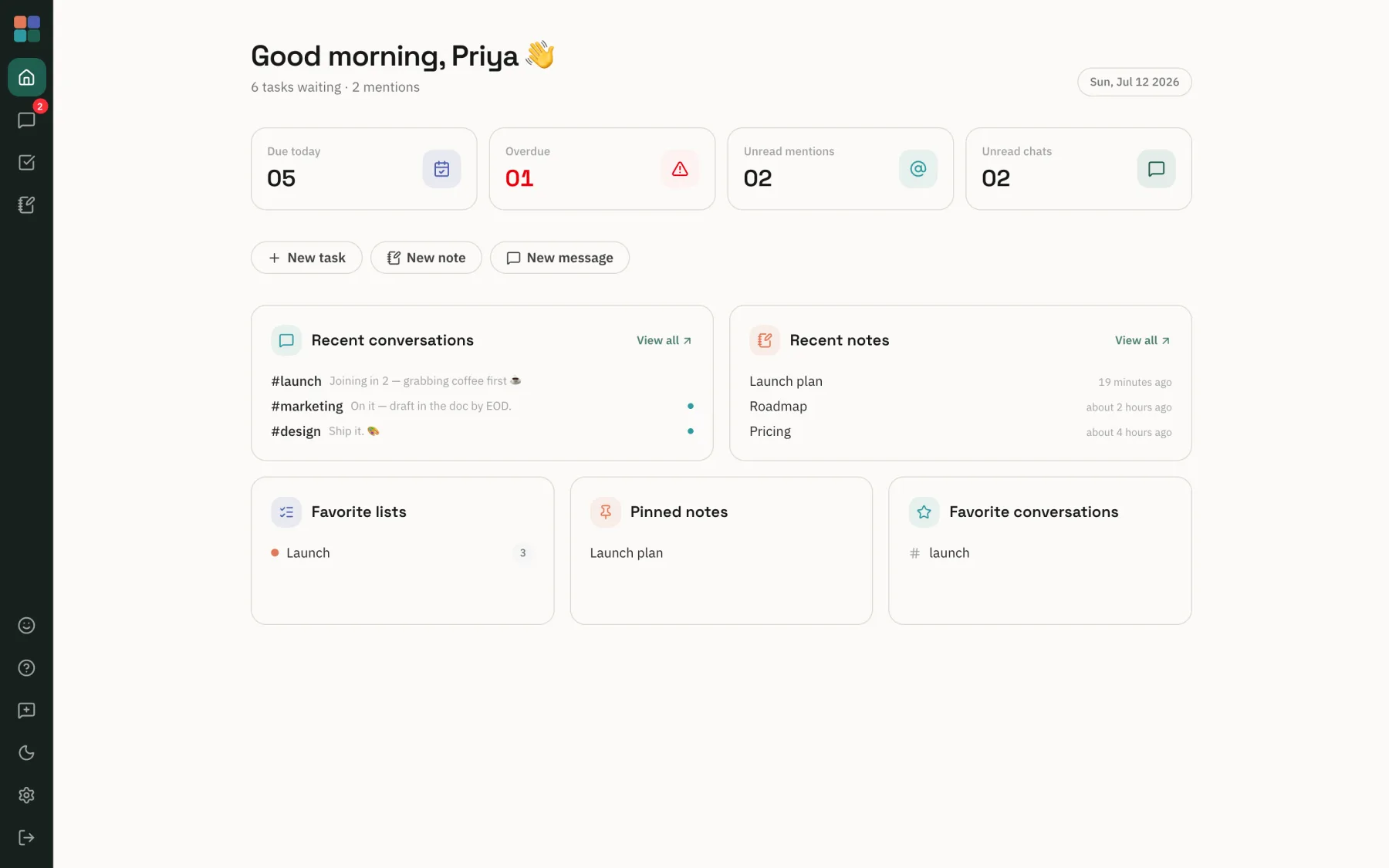
Everything your team does, assembled.
Three tools that used to mean three tabs, three logins, three flows. In Montar they're one.
Plans your team can run
Capture a task in plain language, then hand it to a teammate. It lands in their Google Tasks too, and syncs both ways with Google Tasks and Calendar.
A shared brain that links itself
Write in live markdown with wiki-links and backlinks. Share a note, @mention teammates, and talk it through in comments. Export to Google Drive in a click.
Team chat without the noise
Channels, DMs, and threads that stay calm. Start a Google Meet from any conversation, no plugins, no tab-hopping.
Your whole day, in one view
The Hub pulls what's due, who mentioned you, and what's unread out of tasks, notes, and chat into one calm home. It's the first thing you see.
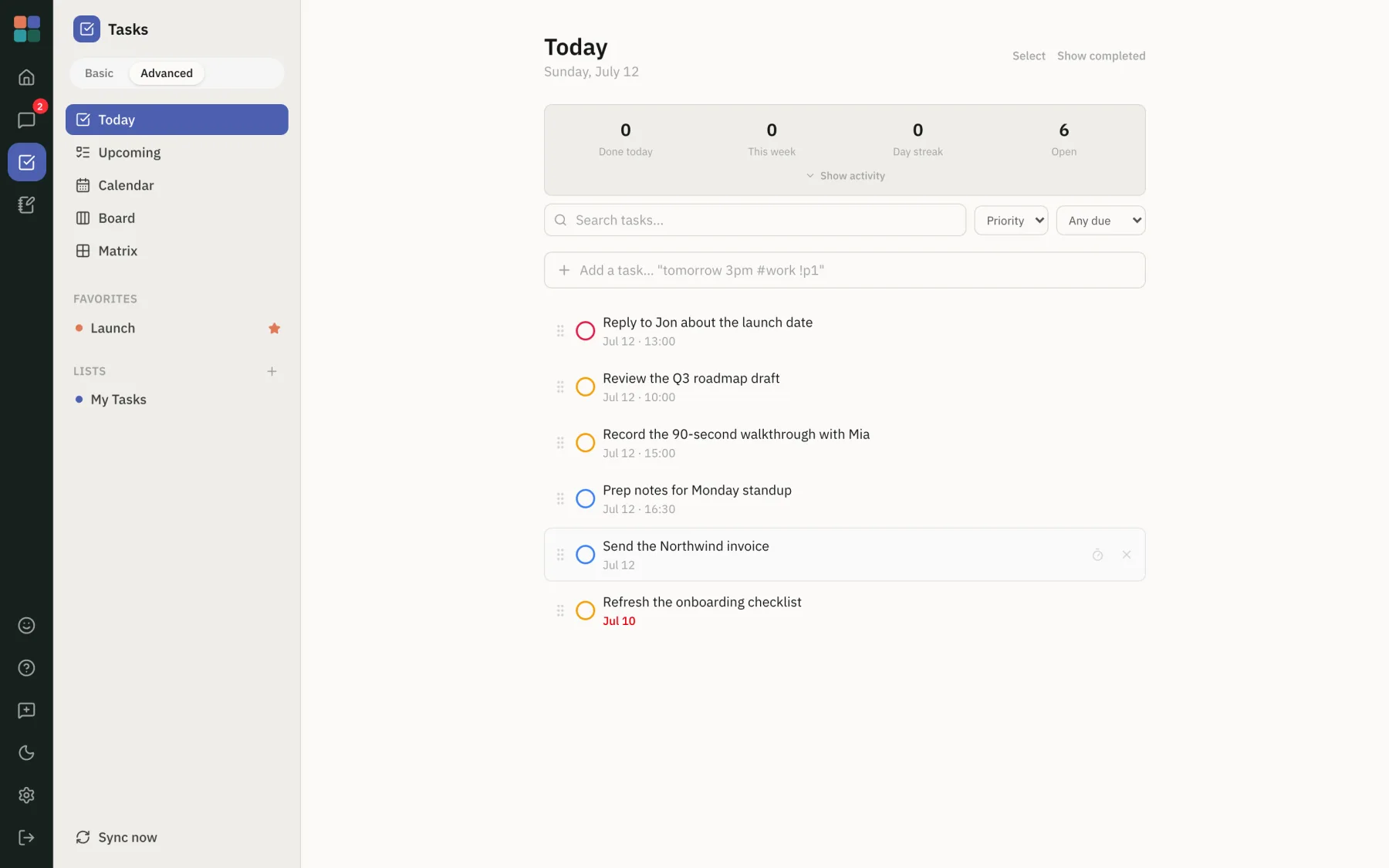
Turn a thought into a task in seconds
Type "reply to Jon about the launch date, today 1pm" and it's scheduled: parsed, dated, and on your list. No forms, no fuss.
- Natural-language capture with dates and priorities
- Today, Upcoming, and custom lists, plus calendar & matrix views
- Assign to a teammate or @mention anyone; it reaches their Google Tasks and their Inbox
- Two-way sync with Google Tasks and Calendar
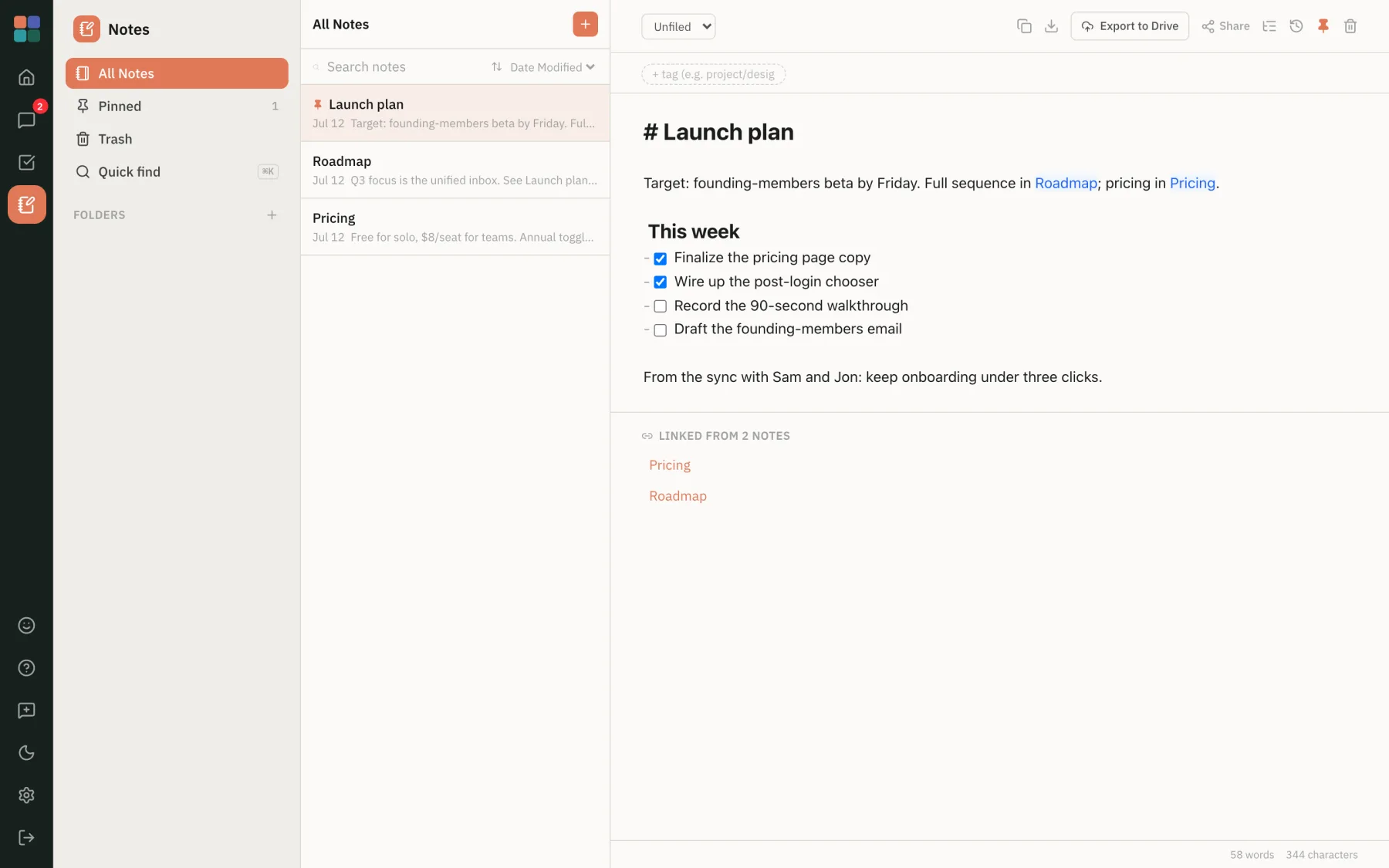
Ideas that connect themselves
Write in markdown, link notes with [[wiki-links]], and watch backlinks build a map of your thinking as you go.
- Live markdown with checklists, tags, and version history
- Wiki-links and automatic backlinks between notes
- Share a note, @mention teammates, and discuss in comments
- Export to Google Drive and Docs anytime
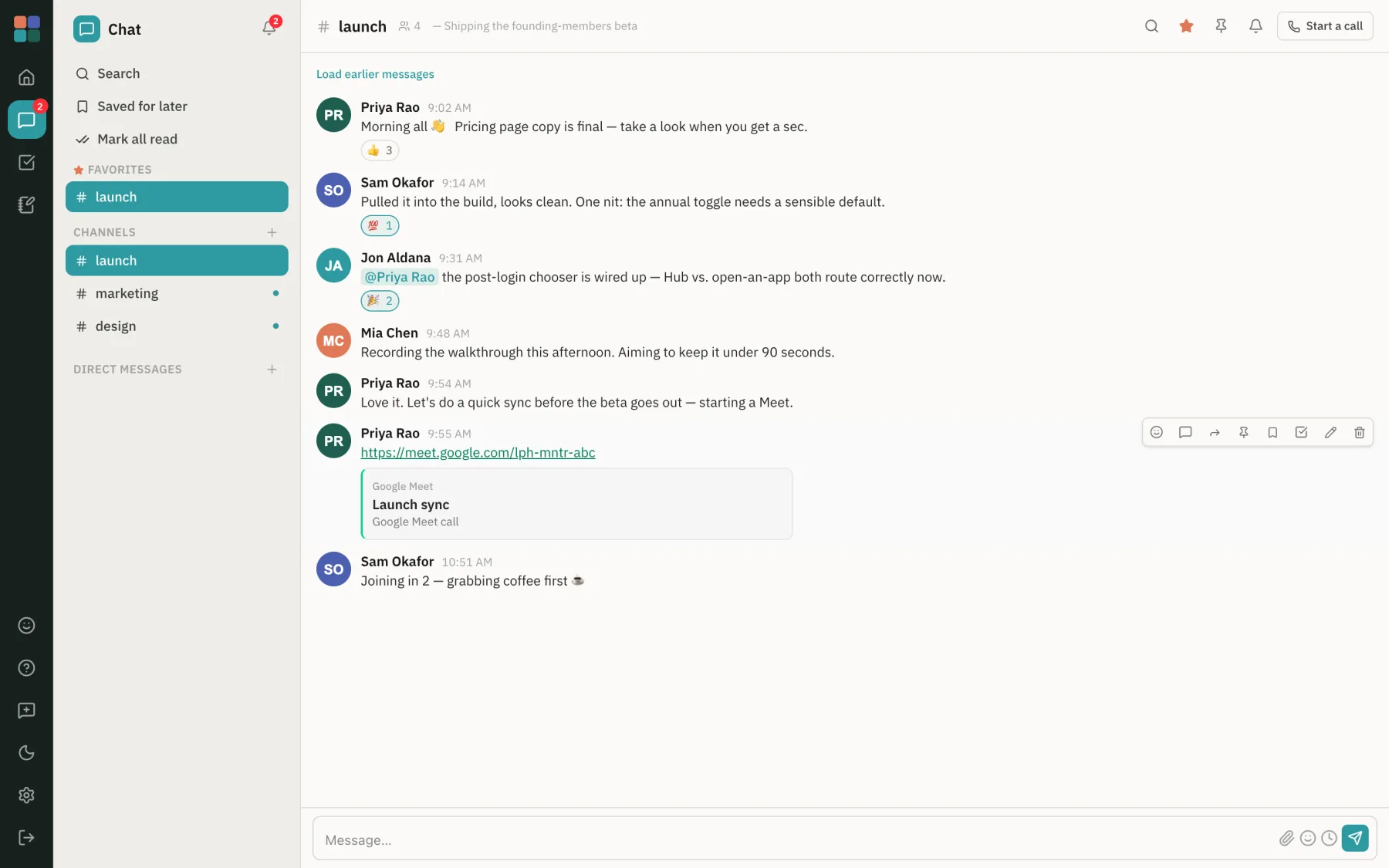
Keep the conversation in one place
Channels and DMs that live beside your work, so a decision in chat becomes a task or a note without ever leaving Montar.
- Channels, DMs, threads, mentions, and link previews
- Start a Google Meet from any conversation
- Turn a message into a task or note in one click
Home base for the whole workspace
Open Montar and the Hub is what greets you: one calm view of what's due, who mentioned you, and what's unread, pulled from tasks, notes, and chat. Everything in one place, nothing shouting.
- Tasks due today, overdue, unread mentions and chats, at a glance
- One Inbox for what's assigned to you and every @mention, across all three apps
- Recent conversations and notes, plus your pinned and favourite items
- Jump into any surface from one screen, no tab-hopping
Chat lives in one app, notes in another, and the to-do list never talks to either. We think the three should just get along, under one roof, on the Google account you already use.
Three steps to an assembled day
Sign in with Google
No new account to create. Montar uses the Google Workspace your team already runs on.
Assemble your day
Your tasks, notes, and channels come together in one hub, with a single view of what needs you.
Work in one flow
Turn a message into a task, assign it to a teammate, link a note to a plan, all without ever leaving the app.
What you're probably wondering
Can my team work together in it?
Yes, that's the point. Assign a task to a teammate and it shows up in their Google Tasks too. @mention anyone in a task, note, or message, and comment on shared notes. Everything aimed at you, assigned work and every mention, collects in one Inbox, and everyone tagged can see where things stand.
Is my data safe?
Montar signs you in with your Google account and works alongside your existing Google Workspace. The Google data you connect (tasks, calendar, Drive) stays in your Google account, and Montar syncs with it rather than replacing it. The work you create in Montar is stored on Google Cloud. We don't sell your data, and you can export or leave whenever you like.
Do I need to create a new account?
No. You sign in with the Google account you already use for work. There's no separate password to remember or team to re-invite from scratch.
What does it cost during the beta?
Montar is free for founding teams during early access, with no credit card required. Founding members help shape the roadmap and keep a preferred rate when paid plans arrive.
Which Google services does it work with?
Tasks and Calendar (two-way sync), Drive and Docs (export your notes), Meet (start a call from chat), and your Workspace directory for mentions and DMs.
Can I export my work or leave?
Yes. Notes export to Google Drive and Docs, tasks live in Google Tasks, and you can leave whenever you like. Your work goes with you.
How long does setup take?
A few minutes. Sign in with Google, and your directory, tasks, and calendar are ready. No migration project, no IT ticket.
Ready to assemble your day?
Request early access, and when your invite lands, your team's tasks, notes, and chat assemble into one calm home. Sign in with Google, set up in minutes, nothing migrates. We're onboarding 25 founding teams in this cohort.
You're on the list. Some assembly required, but not by you. Here's what happens next:
- We review requests in order as founding spots open up.
- Your invite arrives by email with a sign-in link. No password, no setup project.
- Your whole team joins free for all of early access.
While you wait, a look at what you're getting:
Already a founding member? Log in